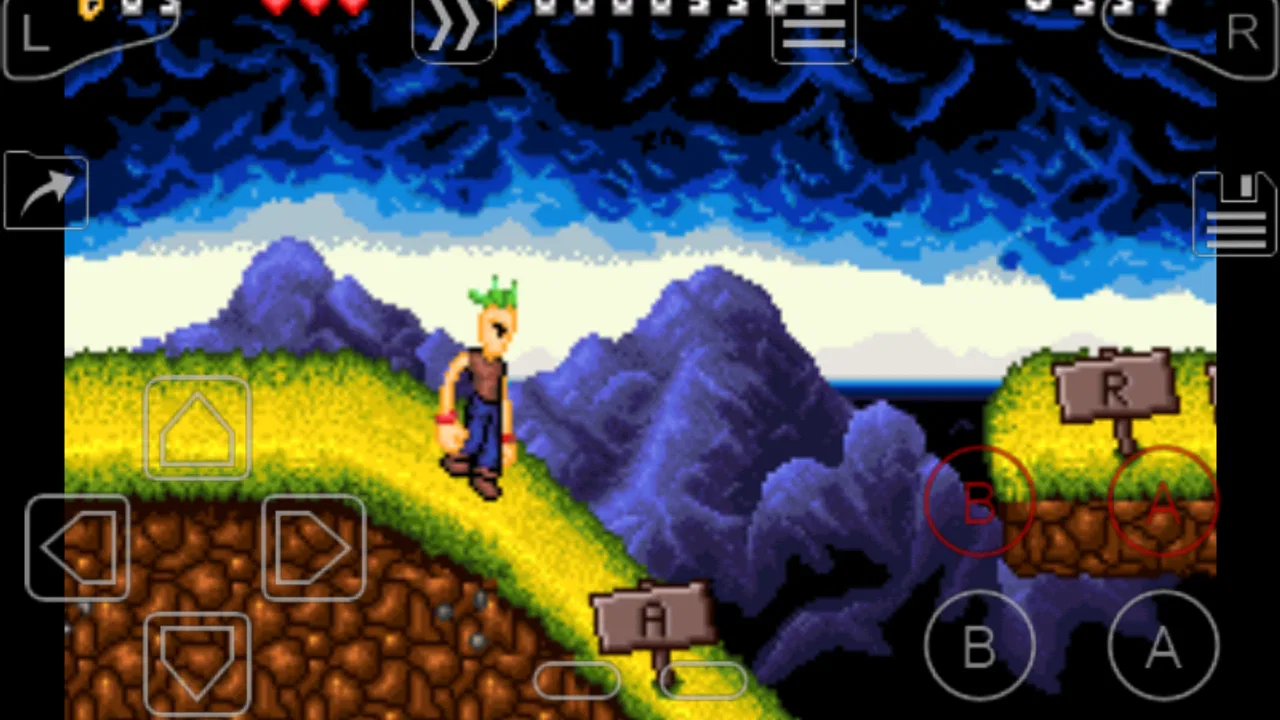
My Boy! - GBA Emulator
- 4.1
- Rating
- 1.00M
- Installs
- $4.99
- Price

 Analysis by App-foxy
I approached My Boy! as a practical question rather than a nostalgia purchase: does this Android arcade emulator still make sense when you want to play Game Boy Advance software comfortably today? My answer is yes, but with an important condition. It is best for someone who already owns legally obtained game files and wants a focused, fast way to use them, not for someone expecting a library of games included with the app.
Developed by Pixel Respawn LLC, My Boy! is a paid GBA emulator in the arcade category. It costs $4.99, carries an Everyone age rating, and has been available since August 12, 2012. Those details matter because this is not a new experimental tool trying to prove that emulation works on a phone. It is an established app built around a very specific job: running Game Boy Advance games with link cable emulation.
After spending time with it, I found that the main decision is not simply whether it runs games. The better question is whether you value a dedicated, polished-feeling emulator more than the convenience of a broader retro-gaming setup. My Boy! has a clear identity, and that clarity is one of its biggest strengths.
You May Also Like

 Blood Strike: 2.5 Anniversary
Blood Strike’s Loadouts Turn Every Drop Into a Tactical Gamble
A close look at Blood Strike’s custom loadouts: how fast access to signature weapons reshapes its battle royale rhythm, rewards preparation, and narrows the gap between fights.

 Pandora - Music & Podcasts
Pandora’s Music Is Easy to Start, but Harder to Recover
Pandora’s strength is its low-effort path from a seed to a station. Its weak spot is how much confidence it asks you to place in connection, setup, and quiet recovery.

 8 Ball Pool
 Is Built on Rivalries, Rematches, and Routine
A close look at the rivalries, rematches, shared routines, and unanswered safety questions that turn a quick pool match into a persistent mobile community.

 Samsung Music
’s Quiet Strength Is Playing What You Already Own
Its reach comes less from spectacle than from dependable access to a personal library. That simplicity is both the app’s strongest retention engine and its ceiling.

 AccuWeather: Weather Radar
AccuWeather Review: A Quick, Clear Forecast for Everyday Decisions
For everyday plans, the best forecast is the one you can understand quickly. AccuWeather makes rain timing, radar, and local conditions easy to act on, with a few trade-offs.

 Hill Climb Racing
Why Hill Climb Racing Still Turns Crashes Into One More Run
A tiny car, a bumpy hill and one more upgrade: Hill Climb Racing keeps resurfacing because its simple chaos makes every near-miss feel personal.
More From Our News Desk



What I would consider before choosing it
I would use this section to weigh the small practical commitments that shape the experience: having game files ready, choosing touch controls or a controller, and deciding whether link play matters to you. Those choices matter more than the emulator’s novelty, because they determine whether opening it stays easy after the first few sessions. The next section looks at the parts that can make that routine worthwhile.
The right starting point: your own game library
Before installing any emulator, I would sort out the legal and practical side of the library. My Boy! is the player, not a storefront. It does not turn the phone into a ready-made collection, so you need game files that you are allowed to use. This is also the first point where some people may be disappointed: downloading an emulator is not the same thing as receiving games.
Once that is understood, the app becomes much easier to judge. If your goal is to revisit a few GBA titles you already have access to, a dedicated emulator can be more convenient than a general retro package. If you want one app that organizes many systems, My Boy! may feel narrow even if its performance is exactly what you need.
What matters in everyday play
I would judge this app by five practical factors: how quickly a game starts, how comfortable the controls feel, how dependable saving is, whether advanced emulator tools are useful rather than confusing, and how well it fits the way you actually play. A phone changes the experience of a handheld game. Screen size, touch controls, interruptions, and portrait-versus-landscape use can matter as much as raw compatibility.
My Boy! makes the most sense for short sessions, travel, waiting rooms, and casual play on a device you already carry. It is also appealing if you want to move between several games without carrying original hardware. The trade-off is that touch controls can never reproduce the exact feel of a physical GBA, especially in action games that demand precise timing.
Why the link feature changes the decision
The standout detail is link cable emulation. That immediately separates My Boy! from a basic emulator that only focuses on running one game on one screen. For compatible multiplayer or trading situations, link support can be the feature that justifies choosing this app over a simpler alternative.
There is a practical caveat, though. Link emulation is most valuable when you have another compatible setup and a game that actually uses the feature. It is not a reason to pay for the app if you only play single-player titles. I would treat it as a deciding advantage for a particular kind of user, not as a benefit everyone will notice every day.
How the app feels in a normal routine
Imagine a train journey with twenty minutes to spare. I would open the emulator, choose a game from my phone, and play through a short section without needing a separate console or cartridge. If I reached a difficult point, I could use an emulator-style save workflow rather than waiting for the game’s own save system. Later, I could return to the same title when I had another brief break.
That convenience is where the app earns its place. It turns a phone into a flexible version of a familiar handheld rather than asking you to rebuild an entire gaming setup. At the same time, I would avoid relying on quick saves as my only form of progress. Keeping a normal in-game save as well is a sensible habit, particularly before moving files, changing devices, or experimenting with settings.
Where My Boy! is strongest
For me, the strongest case is not simply that a GBA game runs on a phone; it is that a focused setup can make returning to a particular game feel immediate. Link cable emulation adds a more specific reason to choose it, while thoughtful save habits help fit older games around modern interruptions. The next section balances those strengths against situations where a different approach may be more comfortable.
A focused experience instead of a cluttered one
The first thing I like about a dedicated GBA emulator is its focus. You are not navigating a huge system list or learning a universal interface designed for several generations of consoles. The app is centered on one handheld platform, so the experience feels direct. That makes it easier to recommend to someone who knows exactly what they want to play.
This focus also helps when troubleshooting. If a game behaves unexpectedly, you are dealing with a smaller set of variables than you might encounter in a multi-system emulator. That does not guarantee that every title or device will behave identically, but it makes the process of checking controls, display options, and save behavior less intimidating.
Speed is useful beyond technical performance
The store summary describes My Boy! as fast, and that quality has a practical meaning for me. A responsive emulator is not only about high frame rates or smooth animation. It affects how willing I am to use the app for a few minutes at a time. If launching a game and getting back to progress feels simple, I am more likely to play regularly.
Fast response is especially important in platformers, racing games, and action-heavy arcade titles. Touchscreen input already adds a layer between my thumb and the game, so any extra delay would make the experience less comfortable. I still prefer a physical controller for games built around precision, but the app is much more useful when the on-screen controls respond promptly.
Link cable emulation is a genuine differentiator
Many emulator reviews mention multiplayer as if it were a minor checkbox. Here, I see it as a real decision point. Link cable emulation gives My Boy! a purpose beyond solo nostalgia. If you want to explore a compatible multiplayer mode, exchange data, or recreate a linked handheld setup through supported configurations, this feature can make the app more interesting than a basic single-device emulator.
The important tip is to test your planned setup before organizing a long session around it. Link features depend on the game, the participating devices or emulator instances, and the way the connection is configured. I would first confirm that the particular title and arrangement work, then build the session around it. That small bit of preparation avoids the frustration of discovering a limitation after everyone has gathered.
Emulator saves can change how you play
Save states are one of the most useful tools in this kind of app, especially for games with long stretches between official save points. I use them as a convenience layer: before a difficult boss, before trying an alternate route, or when I simply need to stop playing immediately. They are excellent for fitting older games into modern schedules.
They also change the balance of some games. A challenge designed around limited attempts can become much easier if I save before every hazard. That is not necessarily bad, but it is worth deciding how you want to play. I usually keep quick saves for interruptions and repeated practice, while using the game’s built-in save system when I want the original sense of risk.
A second useful habit is keeping several save points rather than constantly overwriting one slot. That gives you a way back if you save at an awkward moment or discover that a chosen state is inconvenient. I would also avoid treating emulator saves as a substitute for backups. If a save matters, preserving the relevant files when changing phones is part of the ownership experience.
It is approachable for newcomers
Despite the technical nature of emulation, My Boy! is not only for enthusiasts. Someone who has never used an emulator can understand the basic workflow: install the app, point it toward a legally obtained game file, configure controls, and start playing. The dedicated GBA scope keeps the learning curve more manageable than a tool packed with unrelated systems.
The Everyone rating also makes the app broadly approachable from an age-classification perspective. That does not describe the content of every game you may load, of course; the games are separate products with their own content. Still, the emulator itself is presented as a general-purpose tool rather than an adult-oriented application.
Its long presence gives it practical credibility
My Boy! has been around since 2012, which helps explain why it has a recognizable place among Android GBA emulators. It has accumulated over one million installs, with an average rating of 4.1 from around sixty thousand ratings and roughly seven thousand four hundred written reviews. I would not treat popularity as proof that it is perfect, but it does suggest that many people have found the app useful enough to keep using.
The age of the project cuts both ways. A long-running app can feel familiar and mature, but modern expectations change. Newer phones, newer Android versions, different screen shapes, and changing controller habits can expose rough edges that were less important when the app first appeared. I would therefore judge it by how it works on your current device, not only by its history.
Small workflow choices make a big difference
One non-obvious advantage of a focused emulator is that you can create a consistent routine around one platform. I would keep game files in a clearly named folder, use a predictable naming scheme for saves, and test one title before importing a large collection. This sounds mundane, but it makes the difference between a relaxing library and a confusing pile of files.
I would also configure controls for the type of game rather than assuming one layout works for everything. A layout that feels fine for a turn-based adventure may be uncomfortable for a fast platformer. If you use a physical controller, check the mapping before beginning a long session. The best setup is the one that removes repeated friction, not the one with the most options.
Where the paid model makes sense
The $4.99 price is easy to understand if you expect to use the emulator regularly. Paying once for a focused tool can feel better than dealing with a cluttered alternative or repeatedly adjusting between different apps. For someone returning to a favorite GBA library over months, that cost is modest compared with buying replacement hardware and original accessories.
However, I would not recommend paying automatically just because the app is well known. If you only want to try one game for a few minutes, or if you are still unsure whether touchscreen emulation suits you, the purchase may not feel worthwhile. The value comes from repeated use, reliable habits, and features such as link cable emulation—not from the novelty of opening a game once.
Where another option may fit better
I would look elsewhere if my main goal were one organized place for several retro systems, a ready-to-browse game collection, or the tactile feel of original hardware. Those alternatives solve different problems, and switching also means taking care with control mappings and existing progress. The next section helps identify when My Boy! is a useful fit and when its narrower focus is simply not what I need.
A multi-system emulator may be more convenient
If your collection spans several retro platforms, a broader emulator can be a better organizational choice. One app may let you manage different systems through a common interface, which is useful when you do not want to switch tools depending on the game. The downside is that a general solution may feel less tailored to GBA play.
I would choose the broader route when convenience across systems matters more than a dedicated experience. I would choose My Boy! when GBA is the main attraction and I want the controls, saves, and link-oriented features to revolve around that platform. Neither approach is automatically superior; they solve different problems.
Original hardware remains better for authenticity
For the most authentic feel, original GBA hardware still has advantages that an Android app cannot fully reproduce. Physical buttons have a familiar travel, the screen and proportions match the original design, and the act of using cartridges is part of the experience for some players. If your priority is preservation, collecting, or recreating the exact handheld sensation, an emulator is a compromise.
My Boy! wins on portability and flexibility. I can carry a phone instead of a second device, and I can use modern conveniences such as quick saves. That makes it more practical for everyday play, but less faithful as a physical object. I would not recommend it to someone who sees the hardware itself as the main reason to revisit GBA games.
Touch controls have a real ceiling
On-screen controls are convenient, but they occupy part of the display and lack the tactile separation of buttons. My thumbs can drift, accidental presses are possible, and long sessions may feel less comfortable than they do with a controller. This matters most in games requiring repeated directional changes, rapid button combinations, or careful timing.
A physical controller can improve the experience, but it also makes the setup less spontaneous. You need to carry it, pair it, and sometimes remap buttons. That creates a useful trade-off: My Boy! is excellent for immediate play on a phone, while a controller-based arrangement is better when comfort and precision matter more than convenience.
It is not the right choice for a game discovery service
People sometimes install emulators expecting a catalog, recommendations, or a simple browse-and-play experience. That is not how I would approach this app. Its job is to emulate the hardware environment, not to supply a curated collection. You remain responsible for finding, organizing, and legally using your own games.
That makes the app a poor fit for someone who wants an all-in-one retro subscription-style experience. It is a better fit for a player who already knows the games they want and values control over their own files. The distinction is important because no amount of emulator polish replaces the need for a library.
Switching from another emulator takes some planning
If you already use a different GBA emulator, changing apps is not completely frictionless. You may need to remap controls, locate existing save files, and learn a new way of organizing games and states. The game files themselves may be easy to reuse, but progress files are where the real inconvenience can appear.
My advice is to keep the old setup intact until the new one is proven. Test one game, confirm that normal saves work, try an emulator save, and verify that you can return to progress after closing the app. Only then would I move a larger library. This cautious workflow is especially worthwhile if you have invested many hours in a role-playing game.
There is also a psychological cost to switching. Familiar menus and control layouts become part of a routine, so an alternative with more features may still feel worse if it interrupts that routine. My Boy! is worth the move when its dedicated focus or link capability solves a problem you actually have, not merely because another app looks newer.
Who should skip it
I would skip My Boy! if you do not already have a clear reason to emulate GBA games, dislike touch controls, or want a single application for many unrelated consoles. I would also hesitate if your main interest is collecting original cartridges and hardware, because the app cannot provide that physical experience.
I would be cautious about recommending it to someone who expects every multiplayer scenario to work automatically. Link cable emulation is valuable, but it should be treated as a feature to configure and test, not a guarantee that every linked game setup will be effortless. The same applies to save transfers between devices: plan for them instead of assuming that everything will move by itself.
Who gets the most from it
The strongest match is a player with a small or medium-sized GBA library, an Android phone or tablet, and a preference for convenience over hardware authenticity. It is particularly attractive if you play in short bursts, want quick access to progress, or have a specific interest in link-enabled experiences.
It also suits someone who wants to pay once and settle into one dedicated tool. The app’s long history, large install base, and substantial review activity make it easier to regard as an established choice rather than an unknown experiment. Still, I would keep expectations grounded: the quality of your experience depends on your device, your controls, your game files, and how much setup you are willing to do.
My recommendation after weighing the trade-offs
I recommend My Boy! to Android users who specifically want a GBA emulator and are prepared to manage their own legally obtained game files. Its strongest reasons to choose it are the focused design, responsive style of play, useful emulator saves, and link cable emulation. Those advantages are concrete enough to justify the purchase for regular players.
I would not recommend it as a universal retro solution. If you want several consoles in one place, a broader emulator may fit your habits better. If you want the original physical experience, real hardware remains the more authentic choice. If you only want to experiment briefly, the $4.99 purchase may be harder to justify.
For me, the final decision comes down to commitment. If GBA is the system you actually plan to play, the app’s focused approach is more valuable than a long list of unrelated features. Set up the controls carefully, keep both in-game and emulator saves, test link play before relying on it, and organize your files from the beginning. With those habits, My Boy! becomes a practical everyday way to return to GBA games rather than just another app sitting unused on a phone.
FAQs for My Boy! - GBA Emulator
01What is My Boy! - GBA Emulator, and what does it do?
My Boy! - GBA Emulator is an Android application designed to emulate Game Boy Advance games on compatible smartphones and tablets. After installing it, users can load legally obtained GBA ROM files and play them with on-screen controls or a connected gamepad. The app also includes features such as save states, customizable controls, fast-forwarding, and cheat-code support, depending on the version and device.
02Does My Boy! come with Game Boy Advance games included?
No. My Boy! - GBA Emulator is an emulator, not a game store, and it does not normally include copyrighted Game Boy Advance games. You must provide your own ROM files, ideally created from cartridges that you legally own and used according to the laws in your country. Be careful when downloading ROMs from unofficial websites, since those files may be illegal, unsafe, or bundled with unwanted software.
03Can My Boy! run games smoothly on most Android devices?
In general, My Boy! is known for offering strong performance and can run many Game Boy Advance titles smoothly on a wide range of Android devices. However, results may vary depending on your phone or tablet, Android version, game file, emulator settings, and background activity. If you experience audio glitches, slowdowns, or input delays, adjusting frame settings, audio options, or performance-related features may help.
04What features are available for saving progress and customizing gameplay?
The emulator provides several convenient tools that are not available on original Game Boy Advance hardware. Users can typically create save states, load progress almost instantly, and use regular in-game save files. Controls can be repositioned or resized on the touchscreen, while external controllers may also be supported. Fast-forwarding and cheat functions can make longer or more repetitive sections easier to manage.
05Is My Boy! - GBA Emulator free, and is it safe to install?
Availability and pricing can depend on the edition and distribution platform, so check the official Google Play listing for the current details before downloading. The safest option is to install the app from a trusted official source rather than modified APK websites. Review the requested permissions, keep Android updated, and avoid suspicious ROM files. Emulator safety also depends on where your game files come from.
Pros
- Fast emulation with smooth gameplay on most modern devices.
- Save states make it easy to pause and resume games anytime.
- Supports external controllers for a more console-like experience.
- Cheat code support adds flexibility for experienced players.
- Low battery use compared with many other emulators.]
Cons
- The free version may include ads and fewer advanced features.
- Some features can feel confusing for users new to emulation.
- Game files are not included and must be obtained legally elsewhere.
- Compatibility may vary with unusual or heavily modified ROMs.
- Touch controls can feel less comfortable for long gaming sessions.

My Boy! - GBA Emulator
Gallery